

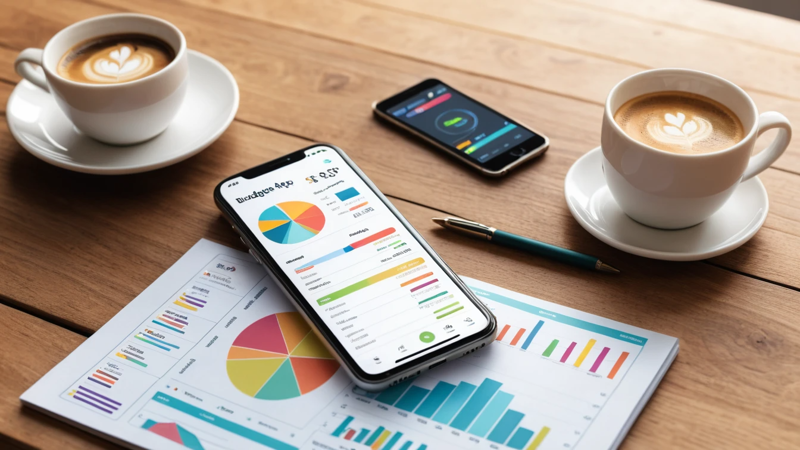
Best free personal budgeting apps to track spending, save more, and stay debt-free. Discover top tools that make money management simple.
Best free personal budgeting apps help you track spending, control money habits, and save more without paying fees. These apps offer features like expense tracking, goal setting, and insights, making money management simple, clear, and stress-free for beginners and experienced users alike.
Best Free Personal Budgeting Apps 💰
Ever feel like your money just disappears before the month ends? 🤔
You’re not alone. Most people don’t track where their money goes. That’s where budgeting apps step in. They help you see every dollar clearly and make smarter decisions.
The best free personal budgeting apps give you control without costing a thing. Let’s break down the top options and how to choose the right one.
Why You Need A Budgeting App 📊
Managing money manually is tough. You forget expenses. You lose track. And suddenly, your budget is gone.
A budgeting app solves this by tracking everything in one place. It shows you spending patterns and helps you adjust quickly.
Think of it like a GPS for your money. Without it, you’re guessing. With it, you know exactly where you’re going.
Key Features To Look For In Budgeting Apps 🔍
Not all apps are equal. Some are simple. Others are powerful.
Here’s what you should look for:
- Expense Tracking – Automatic or manual entry
- Budget Categories – Food, rent, travel, etc.
- Savings Goals – Helps you stay motivated
- Reports & Insights – Easy-to-read charts
- Bank Sync – Real-time updates
A good app should feel easy, not confusing. If it feels complicated, you won’t use it.
Top Free Budgeting Apps Overview 📱
Here’s a quick comparison of the best free apps available right now:
| App Name | Best For | Key Feature | Platform |
| Mint | Beginners | Auto tracking | iOS, Android |
| YNAB (Trial) | Serious planners | Zero-based budgeting | iOS, Android |
| PocketGuard | Overspenders | “In My Pocket” feature | iOS, Android |
| Goodbudget | Envelope system | Manual control | iOS, Android |
| EveryDollar | Simple budgets | Clean interface | iOS, Android |
Each app fits a different style. Choose based on how you like to manage money.
Mint: Best Overall Free Budgeting App 🏆
Mint is one of the most popular budgeting apps. And for good reason.
It connects to your bank and tracks everything automatically. No need to enter expenses manually.
You get alerts for bills, spending limits, and unusual activity. That makes it perfect for beginners.
Why users love it:
- Easy setup
- Free credit score
- Smart spending categories
If you want a “set it and forget it” app, Mint is a solid choice.
YNAB: Best For Zero-Based Budgeting 🧠
YNAB stands for “You Need A Budget.” It’s a powerful tool for serious planners.
It uses a method where every dollar has a job. That means no wasted money.
While the full version is paid, the free trial is worth trying. It can completely change how you think about money.
“Give every dollar a purpose, and your budget will work for you.”
PocketGuard: Best For Avoiding Overspending 🚫
PocketGuard focuses on one thing—keeping you from overspending.
It shows how much money you have left after bills and savings. This is called “In My Pocket.”
That number tells you exactly what you can spend safely. No guessing.
Perfect for:
- People who overspend often
- Users who want simple insights
- Quick daily checks
Goodbudget: Best Envelope Budgeting App 📩
Goodbudget uses the envelope method. You assign money to categories before spending.
Unlike other apps, it’s mostly manual. But that’s actually a benefit. It makes you more aware of your spending.
It’s great for couples too. You can sync budgets across devices.
Best for disciplined users who like control.
EveryDollar: Best Simple Budget App ✨
EveryDollar is clean and easy to use. No distractions. Just budgeting.
It uses a simple monthly plan. You assign income to categories and track spending.
The free version requires manual entry, but it’s very beginner-friendly.
If you hate complicated apps, this one feels refreshing.
Comparison Of App Features 🧾
Here’s a deeper look at what these apps offer:
| Feature | Mint | YNAB | PocketGuard | Goodbudget | EveryDollar |
| Auto Tracking | Yes | Yes | Yes | No | No |
| Goal Setting | Yes | Yes | Yes | Yes | Yes |
| Free Version | Yes | Trial | Yes | Yes | Yes |
| Ease Of Use | High | Medium | High | Medium | High |
Choose based on what matters most to you—automation or control.
How Budgeting Apps Help You Save Money 💡
Budgeting apps do more than track spending. They help you change habits.
When you see where your money goes, you start making better choices.
For example:
- You cut unnecessary subscriptions
- You spend less on eating out
- You save more consistently
Over time, small changes lead to big savings.
Tips To Get The Most Out Of Budget Apps 📈
Downloading an app isn’t enough. You need to use it right.
Follow these tips:
- Check daily or weekly
- Set realistic budgets
- Track every expense
- Review monthly reports
- Adjust as needed
Consistency is key. Even 5 minutes a day makes a big difference.
Common Mistakes To Avoid ❌
Many people quit budgeting because they make simple mistakes.
Avoid these:
- Setting unrealistic limits
- Ignoring small expenses
- Not updating the app regularly
- Choosing a complex app
Keep it simple. Start small. Build habits over time.
Best Budgeting Apps For Beginners 👶
If you’re new, start with something easy.
Top beginner-friendly apps:
- Mint
- EveryDollar
- PocketGuard
These apps require little effort and give quick results. Perfect for building confidence.
Best Budgeting Apps For Couples 💑
Managing money together can be tricky. But apps make it easier.
Goodbudget is great because it allows shared access. Both partners can see updates in real time.
YNAB is also useful for joint planning. It encourages teamwork and communication.
Tip: Always agree on financial goals together.
Best Budgeting Apps For Students 🎓
Students often have limited income. Budgeting becomes even more important.
Apps like Mint and PocketGuard help track spending easily. They also show where money is being wasted.
Helpful student tips:
- Track daily expenses
- Set small savings goals
- Avoid impulse spending
Even small savings matter.
How To Choose The Right Budget App 🤔
Choosing the right app depends on your style.
Ask yourself:
- Do I prefer automatic tracking?
- Do I like manual control?
- Do I need detailed reports?
Here’s a quick guide:
| Your Style | Best App |
| Hands-off | Mint |
| Detailed planner | YNAB |
| Overspending control | PocketGuard |
| Manual budgeting | Goodbudget |
| Simple tracking | EveryDollar |
Pick what feels natural. That’s the one you’ll stick with.
Are Free Budgeting Apps Safe? 🔐
Security is a common concern. And it’s valid.
Most top apps use bank-level encryption. Your data is protected.
However, always:
- Use strong passwords
- Enable two-factor authentication
- Avoid public Wi-Fi when logging in
Safety depends on both the app and your habits.
Future Of Budgeting Apps 🚀
Budgeting apps are getting smarter.
Many now use AI to predict spending and suggest savings. Some even automate financial decisions.
In the future, managing money may become almost effortless. But the basics will still matter—awareness and discipline.
Conclusion 🎯
The best free personal budgeting apps make money management simple and effective. They help you track spending, build better habits, and save more.
Whether you choose Mint, YNAB, or PocketGuard, the key is consistency. Start small, stay regular, and adjust as needed.
Your financial future depends on the habits you build today. Why not start now? 💡
FAQs ❓
What is the best free budgeting app for beginners?
Mint is the best choice for beginners. It tracks expenses automatically and is easy to use. You don’t need prior experience to get started.
Which free app helps stop overspending?
PocketGuard is great for controlling spending. It shows how much money you can safely spend. This prevents going over budget.
Are budgeting apps really free to use?
Many apps offer free versions with core features. Some have premium upgrades, but the free tools are enough for most users.
Can budgeting apps track all expenses?
Yes, especially apps that sync with your bank. They automatically track transactions. Manual apps require you to enter expenses yourself.
How often should I check my budget app?
You should check it daily or weekly. Regular tracking keeps you aware of spending. It also helps you adjust quickly if needed.
Leave a Reply